


Description
Interactive Learning Adventure for Kids
Overview
Sharks in the Park is an educational game designed specifically for young learners, combining interactive gameplay with real-world exploration. The software encourages children to engage with their surroundings through an outdoor adventure that integrates GPS-based navigation and world discovery. By moving through physical spaces, players learn about different regions, cultures, and environments while completing fun, educational challenges. The game is intended for use in open, flat outdoor areas, making it ideal for classroom field trips, family outings, or outdoor learning programs.
Target users include children aged 5 to 10, educators seeking interactive teaching tools, and parents interested in screen-based learning that promotes physical activity. The game’s design emphasizes experiential learning, allowing children to connect digital content with tangible environments. While the developer did not provide additional background information, the focus on GPS integration and outdoor engagement suggests a strong commitment to active, immersive education. The game supports both Android and iOS platforms, enabling broad accessibility across mobile devices.
Real-world usage scenarios include school-based outdoor lessons, nature center visits, and parent-child exploration sessions. However, due to the reliance on GPS and continuous screen use, battery consumption is a notable concern. Supervision is recommended to ensure children remain aware of their surroundings and do not become disoriented during gameplay.
Key Features & Capabilities
- GPS-Driven Exploration – The game uses location data to guide children through real-world environments, turning outdoor spaces into interactive learning zones. This feature enables dynamic content delivery based on physical proximity to specific landmarks or zones.
- Interactive World Discovery – As children move through different areas, they unlock facts, stories, and mini-challenges related to various global regions, helping them build geographical and cultural awareness.
- Age-Appropriate Gameplay – Designed for young learners, the interface and challenges are simplified to ensure accessibility and engagement without overwhelming users.
- Outdoor Learning Integration – The game bridges digital interaction with physical movement, promoting active learning and reducing screen time in static settings.
- Multi-Device Support – Compatible with both Android and iOS devices, allowing families and classrooms to use a variety of mobile hardware.
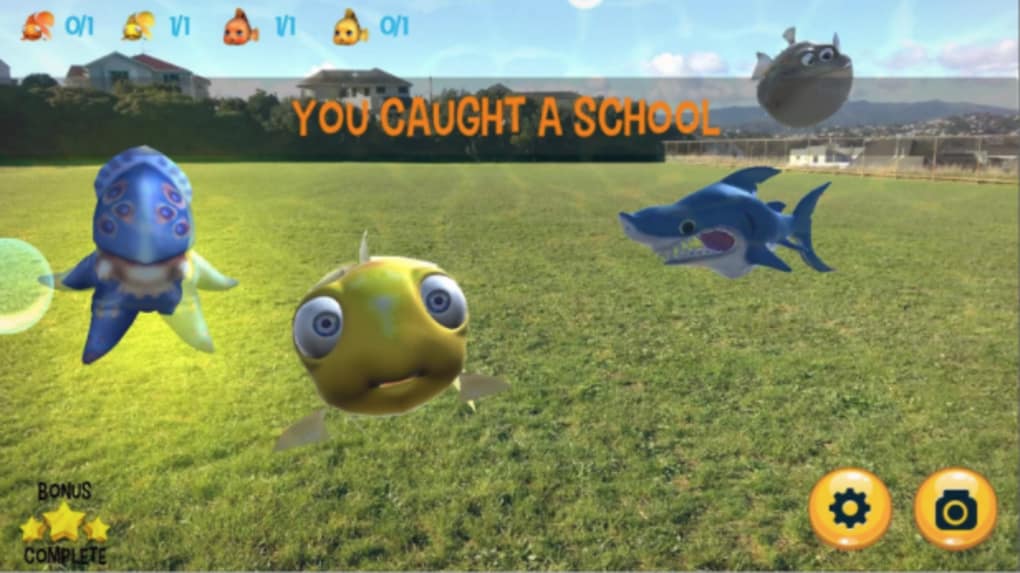
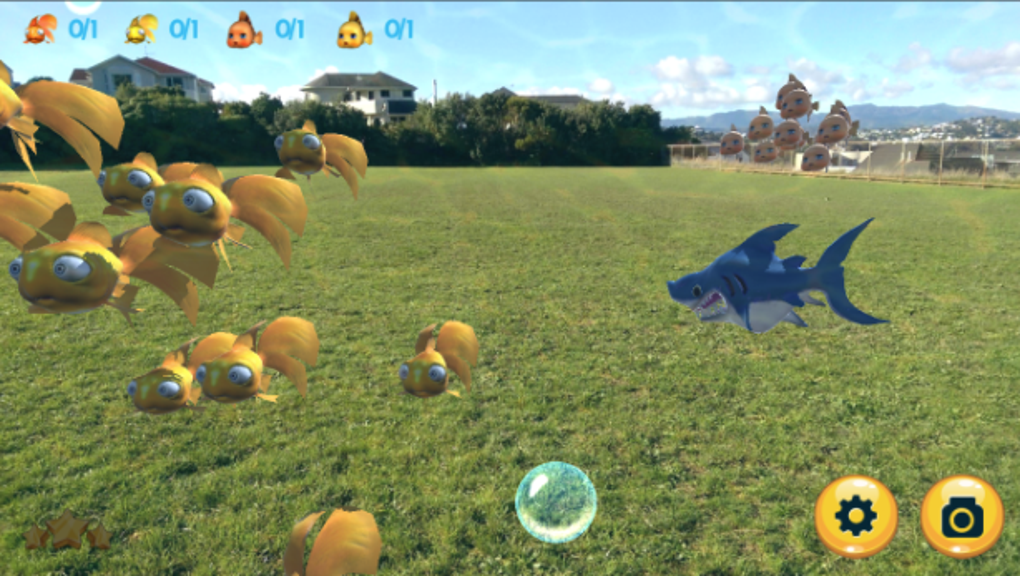
These features support real-world learning by transforming parks, playgrounds, and schoolyards into educational playgrounds. For example, a child walking through a designated zone might encounter a shark-themed challenge that teaches about marine ecosystems. The game adapts content based on location, encouraging curiosity and discovery. The combination of movement and digital interaction helps reinforce learning through multisensory engagement.
User Interface, Workflow & Performance
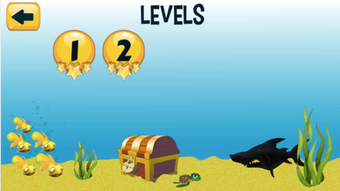
The user interface is designed to be intuitive and child-friendly, with large icons, clear navigation, and minimal text to support early readers. The workflow follows a simple progression: launch the app, select a location, begin exploration, and complete tasks as the player moves. The game responds to GPS signals to trigger content, ensuring that interactions are context-sensitive and timely.
Navigation is straightforward, relying on map-based cues and on-screen prompts to guide users through the environment. The game does not require complex inputs, making it suitable for young children with limited dexterity or digital experience. However, the developer did not specify resource usage details, so performance behavior on different devices remains unclear. General software behavior patterns suggest stable operation under normal conditions, but prolonged use may impact device battery life due to continuous GPS and screen activity.
Stability appears to be maintained during standard use, though no performance benchmarks were provided. The app’s size is 25 MB, indicating a lightweight footprint that should not strain most modern smartphones or tablets. No reports of crashes or freezes were included in the available data.
Compatibility & System Requirements
Sharks in the Park is compatible with both Android and iOS operating systems, supporting a wide range of mobile devices. The software version is 1.0, indicating an initial release with foundational features. The installation size is 25 MB, which is minimal and suitable for devices with limited storage space.
Exact system requirements were not listed. The developer did not provide information on minimum processor speed, RAM, or screen resolution. Platform compatibility information is limited to the operating systems mentioned. It is recommended to use the latest versions of Android and iOS to ensure optimal functionality. For users with older devices, compatibility may vary depending on hardware capabilities and software updates.
Pros and Cons
Pros
- Engages children in active, outdoor learning through real-world exploration
- Combines GPS technology with educational content for immersive experiences
- Designed with young learners in mind, featuring intuitive navigation and simple gameplay
- Free to download and use, making it accessible for families and schools
- Supports both Android and iOS, enabling broad device compatibility
Cons
- Requires a wide, flat outdoor area and GPS access, limiting usability indoors or in urban environments
- High battery consumption due to continuous GPS and screen use
- Children need adult supervision to prevent disorientation or safety risks
- Performance and stability details were not provided
- May not function properly in areas with poor GPS signal
FAQ Section
Is Sharks in the Park free to download?
Yes, the software is available at no cost. There are no in-app purchases or subscription fees.
What devices are compatible with Sharks in the Park?
The game supports Android and iOS devices. Users should ensure their device runs a compatible operating system version.
Does the game require an internet connection?
While the game uses GPS, which may require location services, the exact data usage and connection needs were not specified. Offline functionality is not confirmed.
Can children use the game without adult supervision?
It is recommended that young users be supervised during gameplay to ensure safety and prevent disorientation.
How often is the game updated?
The current version is 1.0. No information was provided about update frequency or future development plans.
Final Thoughts + CTA
Sharks in the Park stands out as a unique educational tool that transforms outdoor play into a learning experience. Its integration of GPS-based exploration with age-appropriate content makes it a valuable resource for parents and educators seeking to blend physical activity with knowledge acquisition. While the game has limitations—particularly regarding battery use and the need for open spaces—it delivers on its core promise: making learning fun and active.
Children who enjoy movement-based games and real-world discovery will benefit most from this software. Schools and families looking for engaging, screen-based learning that encourages outdoor time will find it a compelling option. Despite the lack of detailed technical specifications, the game’s lightweight design and free access enhance its appeal.
Download Sharks in the Park now to bring interactive learning to life in your next outdoor adventure.
Guides & Tutorials for Sharks in the park
How to install Sharks in the park
- Click the Preview / Download button above.
- Once redirected, accept the terms and click Install.
- Wait for the Sharks in the park download to finish on your device.
How to use Sharks in the park
This software is primarily used for its core features described above. Open the app after installation to explore its capabilities.
User Reviews for Sharks in the park 0
No reviews found





